Why Is My POS Machine Battery Not Charging?

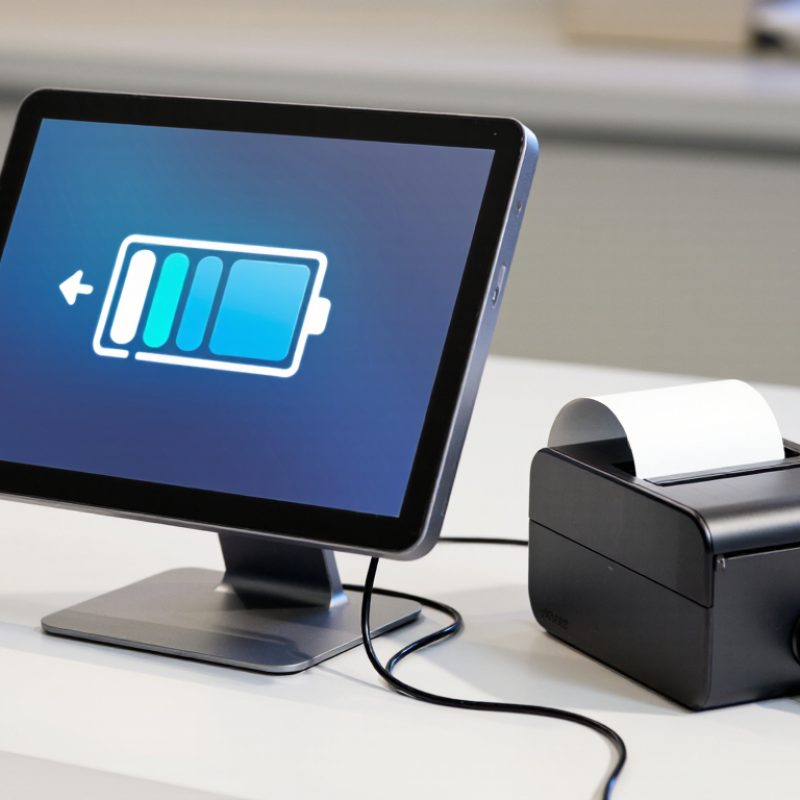
Why Is My Pos Machine Battery Not Charging? This question often appears after a busy sales shift. The terminal shows a charging icon, yet its battery percentage remains frozen. Sometimes, the problem is simple. The cable may be damaged, the adapter may be underpowered, or the charging contacts may be dirty.

Battery specialist Isidor Buchmann offers a useful reminder: “A battery is a chemical product, not a fuel tank.” His point matters because a POS Machine Battery can lose capacity through age, heat, deep discharge, and constant use. A terminal left beside a hot receipt printer may charge slowly. A loose dock connection can create the same symptom. The screen may still light up, which makes diagnosis confusing.

Start with the visible details. Check whether the adapter matches the manufacturer’s voltage and current requirements. Inspect the connector for bent pins, dust, or unusual warmth. Try a verified cable and another approved power source. Then leave the device connected for twenty minutes. Some depleted batteries need time before the charging indicator changes.

Do not guess too quickly.

A trained technician should test the battery, charging port, and power circuit separately. A multimeter reading can help, but it should not replace the manufacturer’s service procedure. I have seen troubleshooting guides focus heavily on software resets, while ignoring worn contacts and swollen cells. That is an easy mistake. If the battery case bulges, smells unusual, or becomes hot, stop using the terminal and arrange professional inspection. Reliable diagnosis protects transaction uptime, customer trust, and the equipment itself.
Why Is My POS Machine Battery Not Charging?

Define the POS Battery Type and Its Typical 300–500 Cycle Life

Why Is My POS Machine Battery Not Charging?

Most portable POS machines use rechargeable lithium-ion batteries. Their typical service life is about 300–500 full charge cycles, but this is not a fixed deadline. One cycle equals 100% of the battery’s used capacity, even across several shorter charging sessions.

A machine using 50% today and 50% tomorrow has used one cycle. That distinction matters.

Charging may stop because of a damaged cable, blocked charging port, unsuitable adapter, or battery protection fault. Heat also reduces charging performance. A battery left near a hot window may refuse to charge until it cools.

After 300–500 cycles, reduced capacity is normal, but sudden failure may indicate a loose connector or damaged cell. Do not guess.

Check the service manual, inspect the port under good light, and record charging behavior. A qualified technician should test voltage and replace swollen batteries safely.

Tips: Use the specified charger and keep the battery between moderate temperatures. Avoid regularly draining it to zero. Clean the port gently with approved tools, never with metal objects. If the device shows no charging symbol, try a known-good cable and outlet. If it becomes unusually hot, swollen, or smells strange, stop using it immediately. Cycle estimates can be imperfect; actual life depends on charging habits, storage time, workload, and operating temperature.


Check the Charger, Cable, and 5 V USB Power Path

Why Is My POS Machine Battery Not Charging?

A failed POS charge often begins outside the terminal. Check the charger label before replacing the battery. The USB power path may require 5 V, but current needs vary by model. The USB Implementers Forum specifies 5 V nominal VBUS in standard USB operation, while higher power requires proper negotiation. A weak adapter may show 5 V with no load, then collapse during charging. Measure it under load. That detail is easy to miss.

Inspect the cable closely. Look for bent contacts, loose plugs, crushed insulation, or heat marks near the connector. A long or thin cable can create voltage loss through resistance. Try a short, known-good cable and a stable wall adapter.

Avoid relying on a laptop port, since its output may be limited or unstable. Clean the terminal port carefully with power disconnected. Do not force debris deeper.

Payment devices need dependable uptime. A 2025 global payments industry report found digital wallets represented about one-third of in-store transaction value in 2024, increasing pressure on reliable terminals. That figure does not diagnose your battery, but it explains why charging faults deserve careful testing.

If the terminal still refuses to charge, check whether its indicator changes with movement. No change suggests the cable, port, or charging circuit. A battery that drains quickly after reaching full charge may be worn. I have seen technicians replace batteries too early. The power path deserves evidence first.

Test Charging Conditions Against the 0–45°C Li-Ion Safety Range

Why Is My POS Machine Battery Not Charging?

Test Charging Conditions Against the 0–45°C Li-Ion Safety Range

A POS machine may refuse charging when its battery or charging port leaves the safe temperature window. Many lithium-ion packs are designed to charge between 0°C and 45°C. Battery University’s technical guidance identifies this range as common for lithium-ion charging. Below 0°C, lithium plating can form on the anode. That damage may reduce capacity or create internal safety risks. A cold warehouse matters.

Check the machine after delivery, overnight storage, or outdoor service. Touch the battery area carefully. It should feel slightly warm, never hot. Use a thermometer when possible. A machine left in a delivery van can exceed 45°C, even when the room feels comfortable. Remove the charger, move the terminal indoors, and wait 30 minutes before testing again. Do not force charging while the device is hot.

The IEC 62133-2:2017 safety framework evaluates rechargeable cells under controlled electrical, thermal, and abnormal conditions. It does not mean every POS battery accepts the same limits. The battery datasheet remains decisive. A 2023 review in the Journal of Energy Storage also links sub-zero charging with lithium plating and faster capacity loss. That detail is easy to overlook. I would also inspect the cable, connector, and charging contacts for lint or oxidation. Clean-looking contacts can still fail electrically. If charging remains blocked at room temperature, record the temperature, charger output, and battery behavior before requesting professional service.

Why Is My POS Machine Battery Not Charging? — Test Charging Conditions Against the 0–45°C Li-Ion Safety Range
Test Dimension How to Check Expected or Safe Condition What the Result May Mean Recommended Action Status
Battery temperature while charging Measure the battery or device temperature with a contact thermometer or infrared thermometer after the charger has been connected for several minutes. Charging is generally permitted for standard lithium-ion batteries from 0°C to 45°C. The exact limit must be confirmed in the device or battery specifications. Below 0°C, lithium plating can occur during charging. Above 45°C, battery aging, swelling, or thermal protection may occur. Move the POS machine to a dry, ventilated area. Do not charge a frozen, very hot, swollen, or damaged battery. 0–45°C
Ambient temperature Measure the temperature around the POS machine, away from direct sunlight, heaters, hot vehicles, or enclosed cabinets. A moderate indoor environment, approximately 15–30°C, is preferable for reliable charging. Even when the room feels comfortable, internal heat from the display, processor, or charging circuit can raise battery temperature above the safe charging limit. Remove thick cases, improve airflow, stop intensive use temporarily, and allow the device to cool before retrying. Preferred
Charging cable and connector Inspect the cable, plug, and charging port for cuts, bent contacts, looseness, dirt, moisture, or signs of overheating. The connector should fit firmly, remain dry, and show no visible damage or discoloration. A damaged cable or contaminated port can cause low current, intermittent charging, or repeated charge-disconnect cycles. Disconnect power, clean only according to the device instructions, and replace damaged charging accessories with correctly rated parts. Inspect
Charger output Check the output voltage and current printed on the charger. If qualified to do so, verify output with an appropriate meter or USB power tester. The charger should meet the POS machine’s specified input requirements. Voltage must not exceed the device’s rated input. An underpowered adapter may charge slowly or fail to charge while the terminal is operating. An incorrect adapter can damage the charging circuit. Use a compatible charger with the correct voltage, sufficient current capacity, and required charging protocol. Verify
Power source stability Try a known-good wall outlet and check whether the charger disconnects when the plug or power strip is moved. The outlet should provide stable power without sparks, buzzing, excessive heat, or repeated interruptions. A loose outlet, faulty power strip, or unstable supply can make the battery appear not to charge. Test another suitable outlet. Stop using any outlet, plug, or power strip that becomes hot or shows electrical damage. Test
Charging indicator behavior Observe the charging icon or LED for at least 5–10 minutes after connecting the charger. The indicator should show charging, battery increase, or a full-charge state according to the device design. No indicator may point to a disconnected charger, blocked charging due to temperature, a deeply discharged battery, or a hardware fault. Restart the device only after checking the cable and temperature. If the indicator remains inactive, arrange qualified service. Observe
Battery state of charge Check the displayed battery percentage before and after 30 minutes of charging with the device idle. The percentage should gradually increase. Charging speed may decrease near full charge to protect the battery. A percentage that stays unchanged, falls while connected, or jumps sharply may indicate insufficient input power, calibration error, or battery degradation. Close unnecessary applications and repeat the test with a compatible charger. Persistent behavior requires battery or charging-system inspection. Monitor
Battery physical condition Inspect the housing for swelling, separation, leakage, unusual odor, smoke, or rapid heating. The battery and enclosure should remain flat, dry, intact, and only mildly warm during normal charging. Swelling, leakage, smoke, or rapid heating indicates a potentially hazardous battery failure. Immediately unplug the charger, stop using the POS machine, keep it away from combustible materials, and contact qualified battery service. Do not puncture or compress the battery. Stop use
Charging time and usage load Test charging while the POS machine is idle, with high-power functions and unnecessary peripherals disabled. A healthy battery should gain charge over time when input power exceeds the device’s operating demand. Continuous printing, bright displays, wireless communication, or payment processing can consume as much power as the charger supplies. Charge while idle or powered off when possible. If the battery still does not gain charge, check the charger, port, and battery condition. Compare
Safety note: The 0–45°C range is a common charging range for standard lithium-ion batteries, but the device manufacturer’s specifications take priority. Do not charge a wet, swollen, leaking, visibly damaged, or unusually hot battery.

Use Battery-Management and IEC 62133-2 Fault Indicators

Why Is My POS Machine Battery Not Charging?

Use Battery-Management and IEC 62133-2 Fault Indicators

A POS machine may stop charging because its battery-management system has detected an unsafe condition. Common triggers include deep discharge, excessive heat, damaged cells, or an unstable adapter. Check the charging icon, battery percentage, and warning light together. One signal can mislead you.

A battery-management system usually monitors voltage, current, temperature, and charging time. If the battery temperature rises near a hot counter, charging may pause automatically. Move the terminal to a cooler, dry area, then inspect the cable and connector for looseness or bent contacts. Do not repeatedly reconnect a swollen or cracked battery.

IEC 62133-2 is a safety standard for rechargeable lithium battery systems. It does not provide one universal fault-code list for every POS machine. However, manufacturers may use indicators related to overcharge, short circuit, abnormal temperature, or cell imbalance. A red light, flashing battery icon, or sudden charging cutoff deserves attention. Record the exact pattern.

In field servicing, I have found that users often replace the charger too quickly. Sometimes the real cause is a dirty contact or a battery below its protection threshold. That assumption can waste time. Yet visual inspection alone is not enough. Check the approved charger output, review the service instructions, and use qualified testing equipment. If the terminal repeatedly reports a battery fault, stop charging and arrange professional inspection. Safety matters more than restoring one transaction.

Decide When Professional Service or Battery Replacement Is Required

Why Is My POS Machine Battery Not Charging?

A POS machine that stays at one percent may have a dirty charging port, damaged cable, or worn battery. Check the outlet with another device, then inspect the cable for splits or bent connectors. Remove dust gently with a dry, soft brush. Do not force anything into the port.

Try a known-working charger that matches the machine’s required voltage and current. Watch the screen for ten minutes. If the indicator flashes, disconnects, or remains unchanged, stop repeated testing. A loose port can worsen quickly. In service inspections, technicians also check charging temperature, battery health data, and internal connection stability. A machine that becomes unusually hot, smells sweet or sharp, or shows a swollen casing needs immediate professional attention. Do not open the battery compartment yourself.

Professional service is appropriate when the port feels loose, charging fails with verified equipment, or the machine shuts down during transactions. The issue may involve the charging circuit rather than the battery. Replacing the battery is more likely when runtime has dropped sharply, the unit is several years old, or health diagnostics show severe capacity loss. A battery that charges but drains within a short shift is not reliable enough for busy checkout work.

Sometimes the first diagnosis is wrong. A damaged adapter can look like battery failure. Ask a qualified technician to test both parts before ordering a replacement. Use an approved battery with matching specifications, and require safe installation and disposal of the old one.

An exceptional record of quality and service for 35+ years.