A television can look simple from the outside, yet the board inside must match several exact components. For global buyers, choosing a Universal Board Tv is not just a matter of comparing prices. The panel type, screen resolution, connector layout, and firmware all affect whether a board will work properly. A plug that looks familiar may still carry a different signal. Small details matter.
This guide introduces seven practical checks for comparing boards before purchase. Start with the TV’s full model number and the markings on its original board. Then confirm supported panel specifications, available ports, and regional tuner requirements with the supplier’s documentation. Ask about firmware, included cables, and return terms, too. A clear photo of the board label can prevent an expensive mismatch. Not every board fits.
Global shipping adds a few more questions. Check packaging, delivery estimates, warranty coverage, and whether local technical support is available. If installation requires soldering or testing live equipment, use a qualified repair professional rather than guessing. Product listings can be incomplete, and even careful buyers sometimes overlook one connector or panel code. That is worth admitting. The tips ahead offer a more reliable way to assess compatibility, supplier information, and total purchase risk before placing an order.
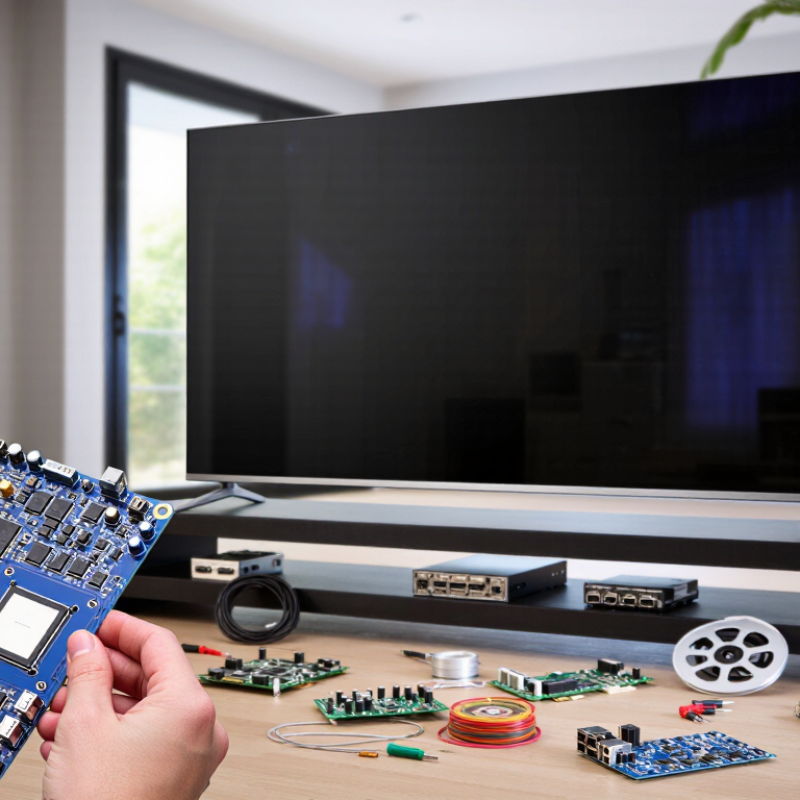
Universal TV boards are replacement circuit boards designed to control specific television functions. A main board processes incoming signals and manages features such as menus, sound, and ports. A power board supplies regulated power to other components. Some universal kits combine these functions or use adapters to suit different panels. “Universal” means adaptable across a range of models, not compatible with every screen. That distinction matters.
Tips: Before choosing a board, compare the panel’s model number, resolution, connector layout, and backlight type with the board’s specifications. Check that the kit includes suitable cables and a clear setup guide. A connector that looks right may still carry signals differently.
In repair work, a careful match can save time, but listings do not always describe compatibility clearly. Confirm the board’s supported panel codes and firmware options with the supplier. If the screen stays blank or colors look wrong, the board may be mismatched, even when it powers on. Disconnect the television before inspection; power-board capacitors can retain hazardous charge. When in doubt, have a qualified technician verify the parts and installation.

Before ordering a replacement TV board, match the full model code, including suffixes that identify region or screen size. Omdia’s 2024 TV Sets Market Tracker estimated global shipments at about 208 million units. That scale means similar-looking sets can use different revisions. Check the panel’s printed code too; a board made for another panel may show a blank screen, distorted colors, or the wrong resolution. Small labels matter.
Firmware is part of the match, not an afterthought. Compare the board number, panel code, and software version with the set’s service information. A board may power on yet fail to recognize the tuner, remote, or display timing. Check connector positions and pin counts before fitting it. A plug that appears identical can carry signals differently. HDMI Forum specifications allow up to 48 Gbps for certain HDMI 2.1 configurations, but that capability depends on the board, port, and firmware—not the connector shape alone.
Use the manufacturer’s service documentation or a qualified repair record to verify regional firmware and panel settings. Record the original version before any update. Still, matching codes is not foolproof; replacement boards may need configuration after installation. A rushed purchase can turn a simple repair into a second parts order.
Before choosing a television board, match its tuner and demodulator to the destination market. Terrestrial systems differ: DVB-T2 is common in many regions, while ATSC, ISDB-T, and DTMB serve others. A connector that fits is not proof of compatibility.
Check the board’s supported channel bandwidths, frequency range, video decoder, and audio formats against local broadcast services. ITU-R Recommendation BT.1306 sets technical parameters for digital terrestrial television systems. DVB’s technical materials report that DVB-T2 can deliver payload rates of up to about 50 Mbit/s under favorable configurations. Actual capacity varies with modulation, signal conditions, and network settings. Small details matter.
Compare these requirements with the panel’s native resolution and interface, such as LVDS or eDP. A board may accept a broadcast format yet fail to drive the panel correctly. Also verify firmware language options, power input, and whether the tuner supports the region’s channel plan. ATSC 3.0 specifications include support for HEVC video and advanced services, but local deployment and reception still vary. Treat marketplace specification sheets cautiously; some omit tuner details. Request a full datasheet and test a sample board with local broadcasts before ordering in volume.
Compare common terrestrial broadcast channel widths when checking whether a TV’s tuner is suitable for your market. DVB-T/T2 bandwidth varies by country; 8 MHz is common in many regions, while 6 or 7 MHz is also used.
Before buying, confirm the supported broadcast standard and channel bandwidth for your destination country. A matching screen resolution alone does not guarantee tuner compatibility.
Supplier reliability is more than a polished quotation. Ask how long the supplier has produced the board TV model and whether they can share a current specification sheet, test records, and sample photos. Check that the sample’s connectors, display size, and power input match your intended setup. Small mismatches can cause delays. Request a sample before placing a large order, then compare its labels and performance with the production batch. A supplier’s reply speed matters, but clear, consistent answers matter more.
Read the warranty terms before negotiating price. Confirm the coverage period, which faults qualify, who pays return shipping, and how replacement parts are handled. Ask for these details in writing. Also check whether the supplier keeps common components available after the initial shipment. Technical support should include practical help, such as setup instructions, fault diagnosis, and a named contact who can respond across time zones. Try sending a real question before ordering. The quality of that answer can reveal gaps. No checklist catches every failure, and I would not treat a fast promise as proof of dependable service; verify key claims with documents and a tested sample.
| Tip | What to assess | Evidence to request | Buyer checks and warning signs |
|---|---|---|---|
| 1. Verify supplier reliability | Confirm the supplier’s legal identity, manufacturing role, operating history, and ability to meet the required order volume and schedule. | Business registration details, facility information, production-capacity statements, references, and a written order schedule. | Check that the contracting entity, payment beneficiary, and stated supplier are consistent. Treat unverifiable claims or refusal of a reasonable audit as risks. |
| 2. Examine quality controls | Review how incoming components, assembly, finished products, and defects are inspected and recorded. | Quality-control procedures, sample inspection records, defect-handling process, and a pre-shipment inspection plan. | Agree on acceptance criteria before production, including appearance, functions, packaging, and any required testing. Do not rely on an unapproved sample alone. |
| 3. Check market-specific compliance | Identify applicable safety, electromagnetic-compatibility, energy, and environmental requirements for each destination market. | Relevant test reports, declarations, product labels, and documentation for the exact model and configuration being purchased. | Requirements differ by country and product. Verify applicability with the relevant regulator or qualified compliance professional; do not assume a certificate for one market covers another. |
| 4. Put warranty terms in writing | Clarify warranty duration, coverage, start date, remedy, claim process, and who pays for parts, labor, shipping, duties, and return handling. | A model-specific warranty document and contract terms covering defects, dead-on-arrival units, exclusions, repair or replacement, and claim timelines. | Compare the written coverage with the laws that apply in the destination market. Avoid relying on verbal promises or vague statements such as “standard warranty.” |
| 5. Test technical support | Determine which languages and channels are supported, the support hours, escalation path, and whether help is available for setup, firmware, and troubleshooting. | Support contacts, service process, troubleshooting documentation, escalation details, and written response-time commitments if required. | Test the support channel before ordering. Set response-time expectations in the agreement rather than assuming a particular service level is universal. |
| 6. Confirm parts and repair options | Check availability of replaceable parts and whether repairs can be handled locally or require return shipment across borders. | Parts list, availability policy, service instructions, repair contacts, and quoted lead times for commonly needed components. | Ask how parts availability is maintained after purchase and clarify shipping, customs, and labor responsibility for warranty repairs. |
| 7. Validate product and shipment details | Confirm the exact model configuration, regional power and connectivity requirements, packaging, delivery terms, and procedure for transit damage. | Approved specification sheet, sample or pre-production unit, packing details, shipping documents, and agreed delivery and inspection terms. | Check compatibility with local power, broadcast or input standards, connectors, language settings, and intended installation. Record damage and shortages promptly under the agreed process. |
Price the board TV as a landed, installed system, not just a screen. Request a written quote that separates the unit, protective crate, export handling, freight, insurance, and delivery to your actual address. A low shipping rate may cover only port-to-port transport. Ask who pays for unloading, storage, and delivery to a building entrance or upper floor. Small costs add up.
Before ordering, check the destination country’s current import duties, taxes, and clearance fees with a qualified customs broker or local authority. These charges can depend on product classification, declared value, and shipping terms. Ask the seller for accurate product specifications and shipping documents, but do not treat an estimate as a final customs bill. A common planning mistake is budgeting only for freight. Even careful estimates miss something.
Installation costs depend on the room, not just the display. Measure the wall, doorway, lift, and route from the delivery vehicle before the crate arrives. Confirm the mounting surface can support the screen, and budget for a suitable bracket, secure power, cable runs, and network access. A large crate may need two or more handlers and space to unpack safely. Photograph any visible damage before signing delivery paperwork, and check local requirements for electrical work. One detail gets overlooked: installation time. If the board must be ready for a scheduled class or meeting, arrange a qualified installer and allow time for setup and testing.
An exceptional record of quality and service for 35+ years.
© 2026 Excell Battery Co. All rights reserved.Privacy Statement